For more than 20 years, music has played an essential role in the way i teach and motivate students.
Many instructors today simply stream music from their phones and let an algorithm decide what comes next. There’s nothing wrong with that approach, but it has never been my style.
I’m old school.
For over two decades in my public classes, private lessons, workshops, and university courses, I use carefully curated playlists that I devote time assembling before every lesson. Music plays an essential part and, just like any good martial arts class, a good playlist should have periods of intensity, periods of recovery, and even offer moments of reflection.
Music isn’t background noise. When picked right, it’s another member subtly contributing to the classroom atmosphere.
When Music Becomes a Training Tool
If you’ve attended one of my group conditioning sessions, you might have experienced what happens when I tell you to pick a kettlebell that challenges you, hold it in front of your chest with both hands, and then I cue up “Flower” by Moby.
The workout begins with the familiar call: “Green Sally up and Green Sally down…”
And every time the lyrics say “Green Sally Up,” students stand. Every time the lyrics say “Green Sally Down,” students lower into a deep squat while still gripping the kettlebell.
By the time the song ends, students have completed exactly thirty full reps of goblet squats. The timing is precise. The rhythm dictates the work rate. The music becomes the coach. Three minutes and twenty-eight seconds later, everyone’s legs are thoroughly smoked.
That level of timing and structure only works when you know exactly what music is going to play and when it is going to play, and that’s one reason I still maintain a large personal music library.
A Library Built Over Decades
I got my first iPod classic in 2007 from a pawn shop. My iTunes music collection currently contains 35,928 songs. If I hit play at the top of my song list and let it continue uninterrupted, music would play continuously for approximately 120 days. That’s not a typo. One hundred and twenty days. And that doesn’t even include the audiobooks in my iTunes which add 189 days to that number.
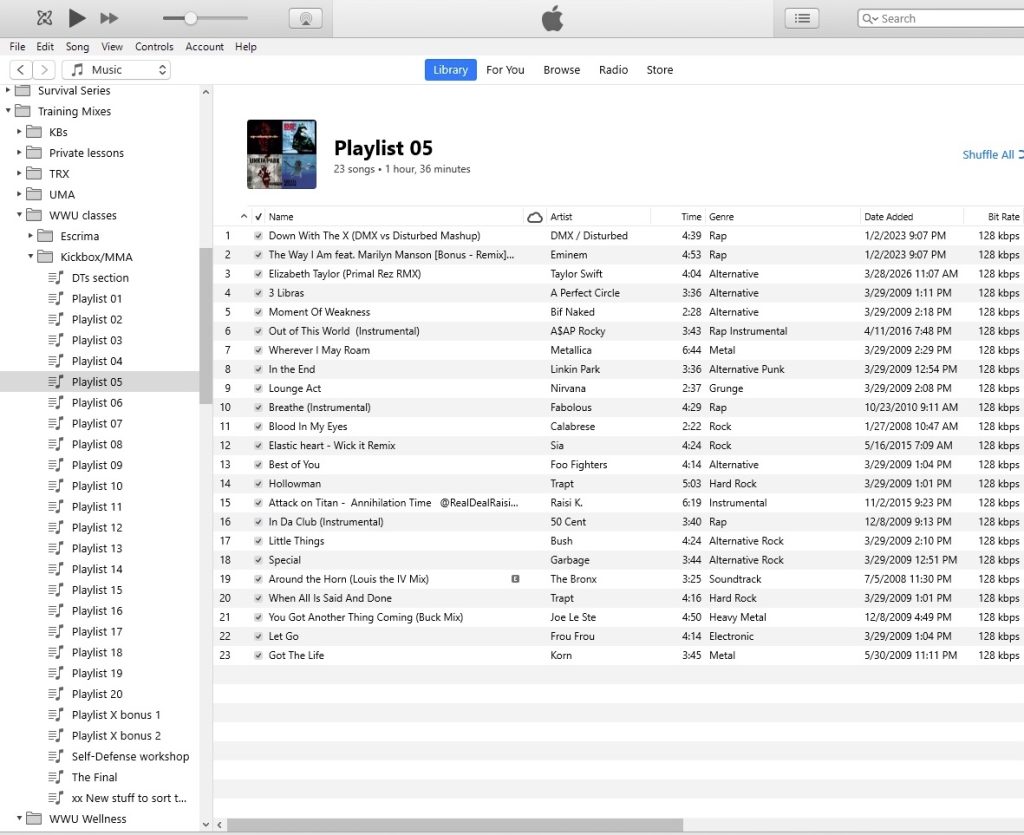
At the UMA gym, I play music directly from a computer wired to overhead speakers positioned in every corner of the space. When I teach at the university gym, I use an iPod upgraded and loaded with carefully organized playlists.
A few years ago I learned how to modify classic iPods, expanding storage capacities far beyond what Apple originally intended. It’s only be recently, after upgrading iPods with massive amounts of storage, I asked myself this question: “If I have room for thousands of albums, why not have complete album artwork too?”
That’s when my search for a music library organizer began.
The Problem With Other Music Organizers
I tested several different music management programs. Some were overly complicated. Others were surprisingly ineffective. A few would automatically insert artwork, but less than half of that artwork was actually correct. Worse yet, some programs inserted unnecessarily large image files that consumed valuable storage space without improving image quality. When you’re carrying thousands of albums on an iPod, artwork size matters. Therefore I wanted software that was powerful enough to manage a huge collection while still being easy to understand.
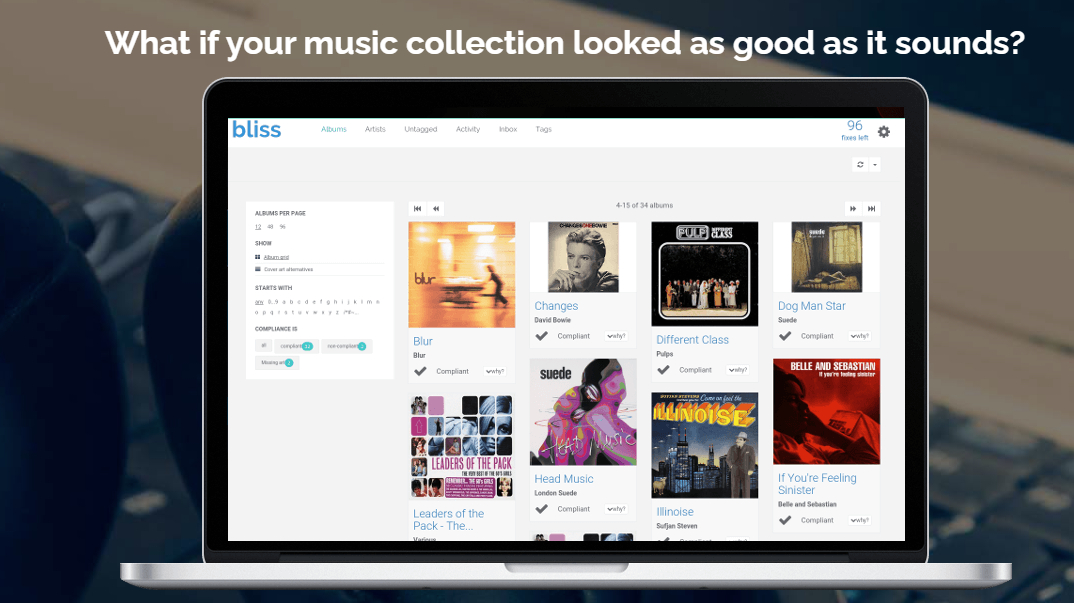
That’s when I discovered Bliss.
What Exactly Is Bliss?
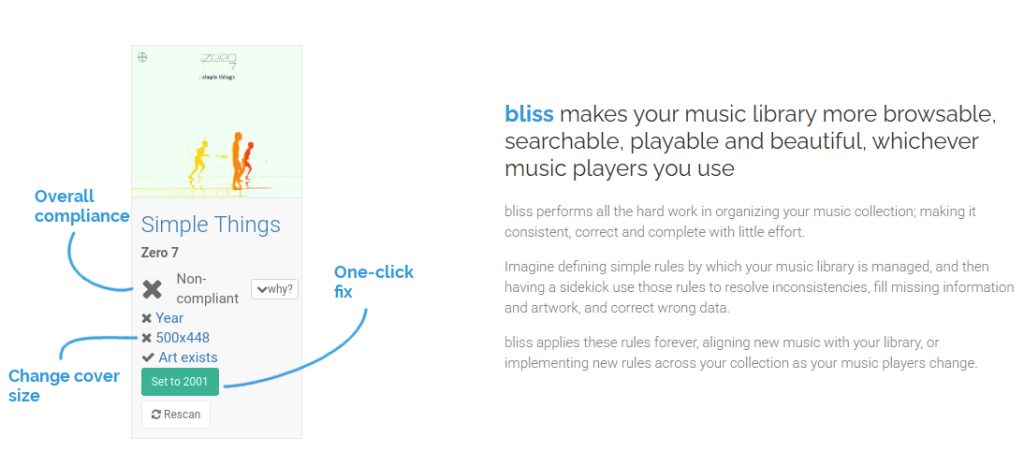
Bliss is a music library management and organization tool that scans your collection and helps identify problems such as:
- Missing album artwork
- Artwork that is too small
- Artwork that is excessively large
- Missing tags
- Incorrect album names
- Missing track numbers
- Missing album artists
- Incorrect metadata
- Duplicate music tracks
- Inconsistent file organization
Think of it as quality control for your music collection.
Rather than manually checking thousands of albums one at a time, Bliss scans the library and highlights exactly what needs attention. The software allows you to fix many of those issues with just a few clicks.
Custom Rules that Put Me In Control
One of the features I appreciate most is the ability to define rules for my collection.
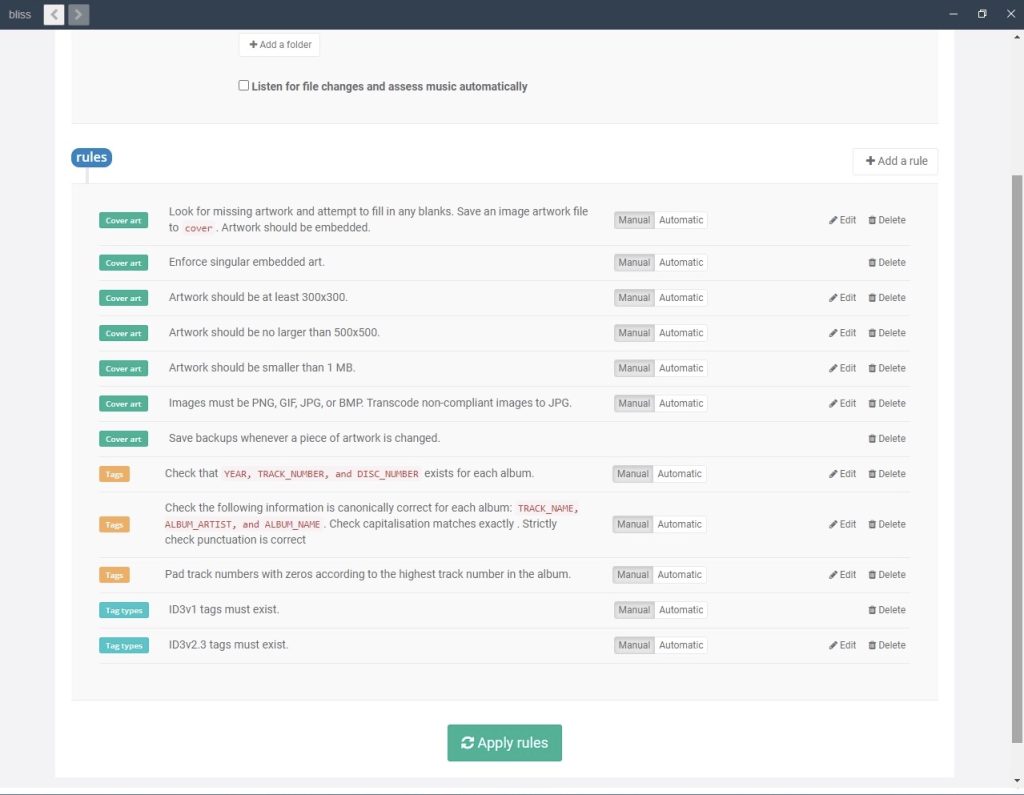
I selected rules that matched the way I manage my music library. Some examples:
- Album artwork must exist
- Artwork must be embedded
- Artwork must be at least 300 x 300 pixels
- Artwork should not exceed 500 x 500 pixels
- Essential tags must be present
- Track numbering should be consistent
- Album information should be standardized
Rather than forcing me to organize my library their way, Bliss allows me to define my standards and then enforce them automatically. That’s quite similar to martial arts instruction, wouldn’t you agree?
Create standards. Follow standards. Improve consistency.
Finding Problems I Didn’t Know Existed
When Bliss scanned my collection, it immediately found issues that had accumulated over years of importing music from different sources.
Some artwork files were much larger than necessary and wasted storage space.
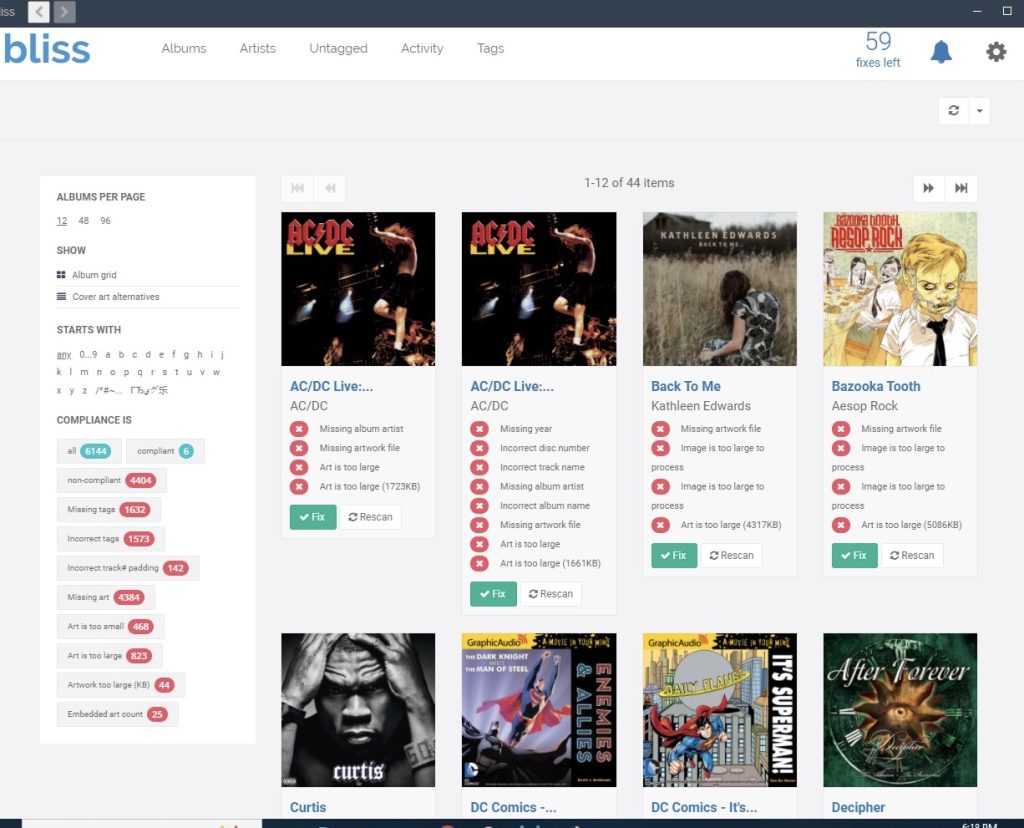
Other artwork files were too small and looked blurry or pixelated.
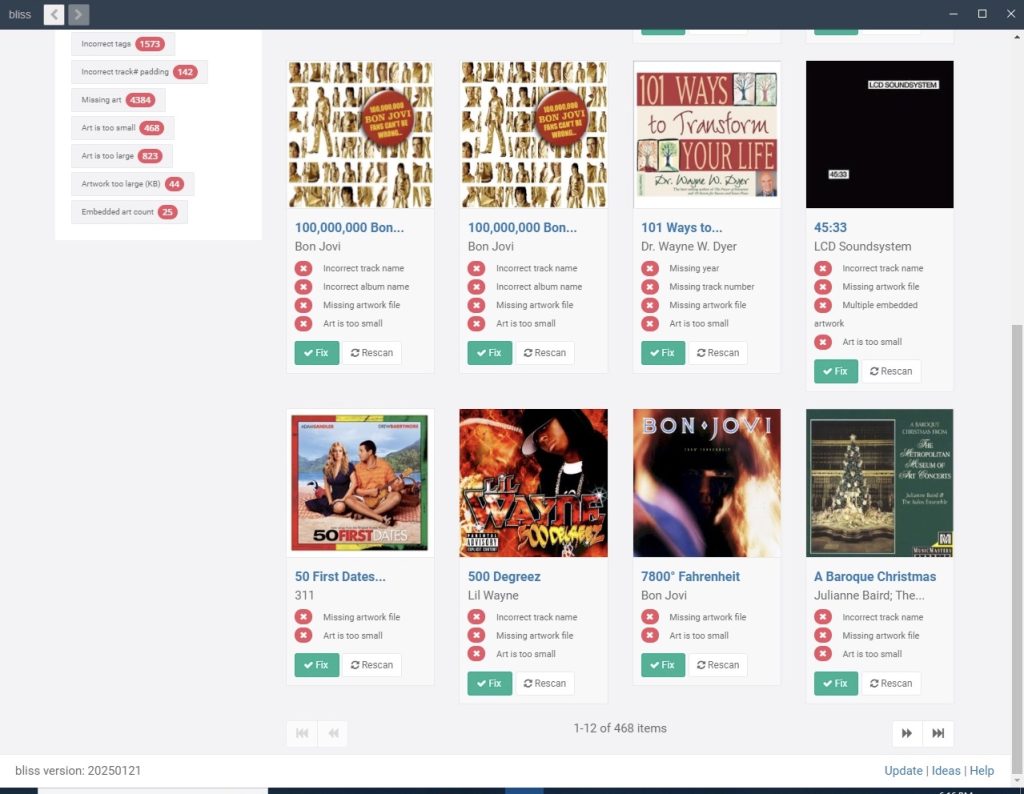
Thousands of albums were missing artwork entirely.
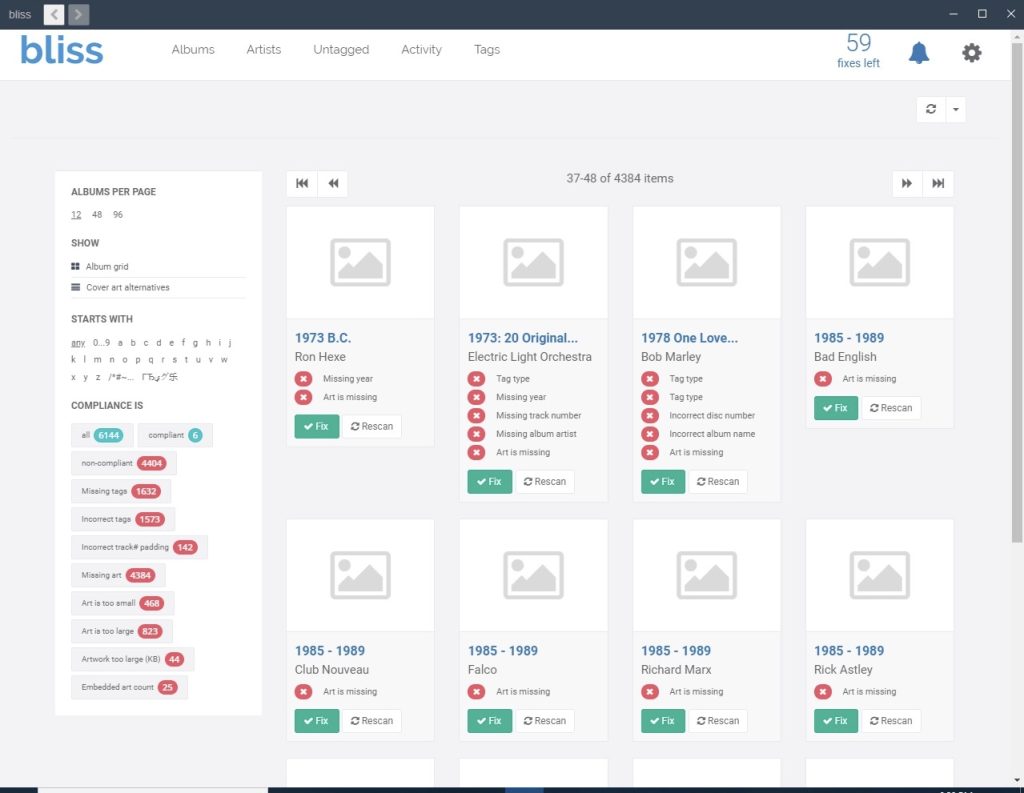
Some albums contained incorrect metadata and tagging errors.
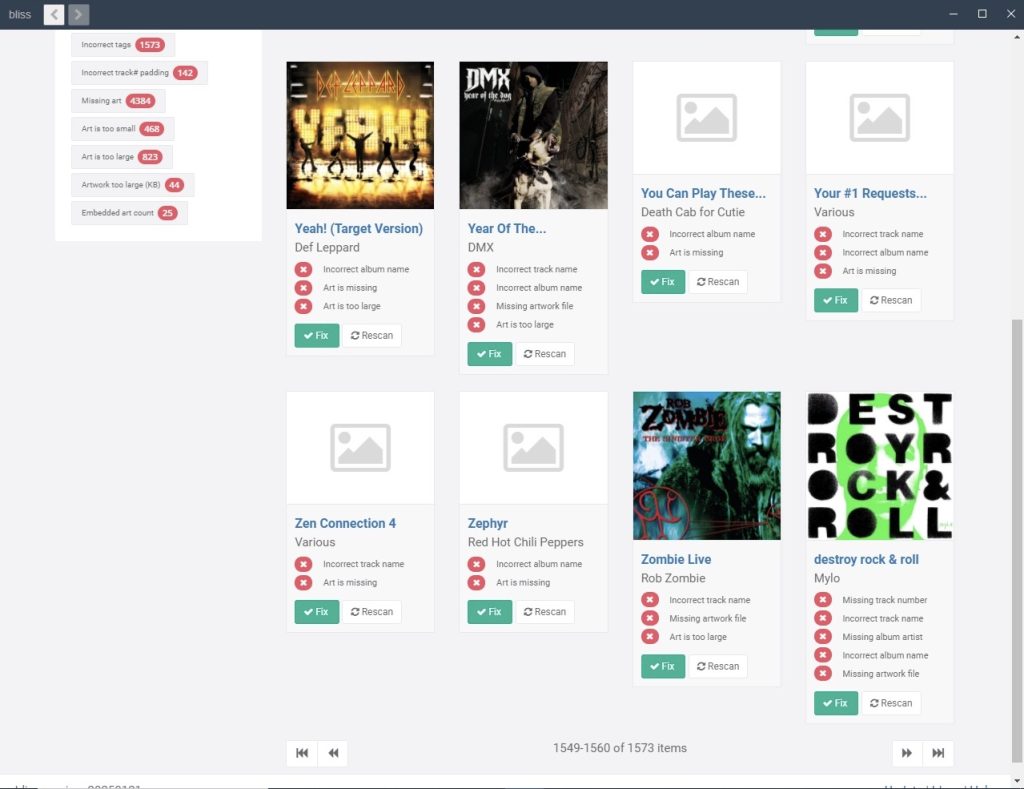
Without software like Bliss, many of these problems would have remained hidden indefinitely.
A Real Life Example Directly from My iTunes Collection:
One of my favorite features is the ability to drill down by artist.
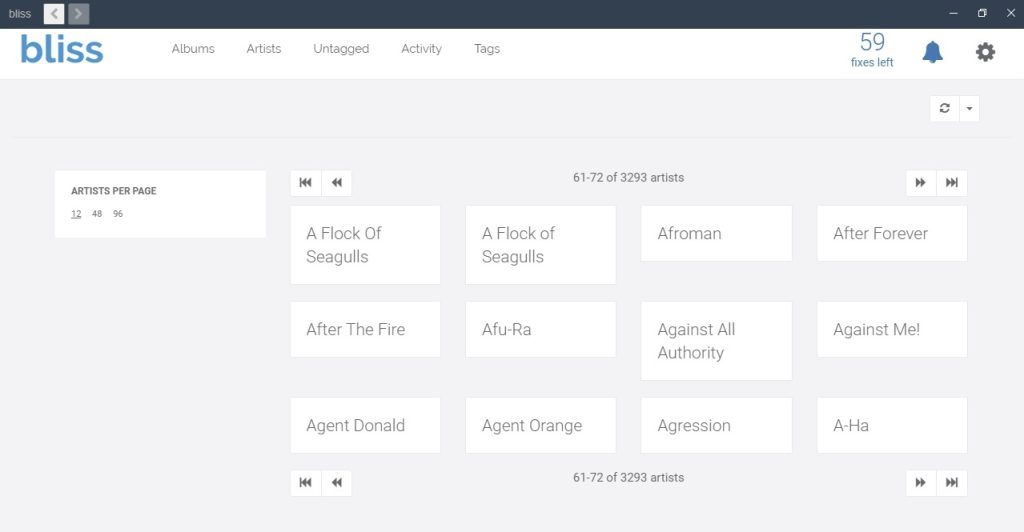
For example, from its Artist filter I selected this punk band i first listened to as a teenager: Agent Orange.
Bliss immediately showed me every album in my iTunes library associated with Agent Orange along with any issues requiring attention.
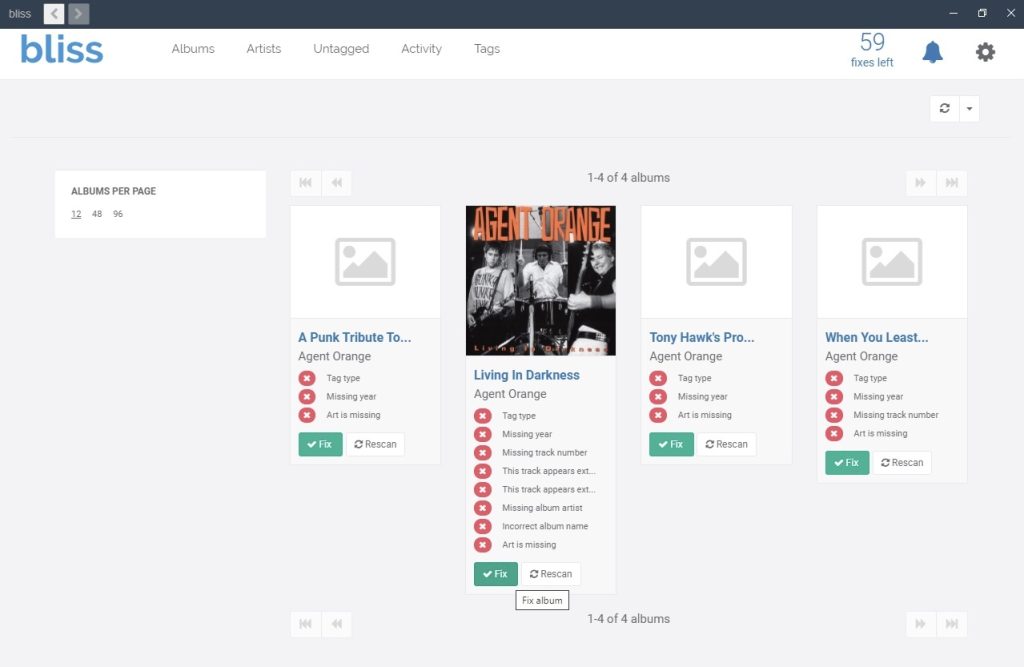
In just seconds I could identify:
- Missing artwork
- Missing years
- Missing track numbers
- Incorrect album names
- Missing artist information
That kind of targeted organization saves an enormous amount of time.
Keeping Track of Changes
Another feature I found useful is the activity history.
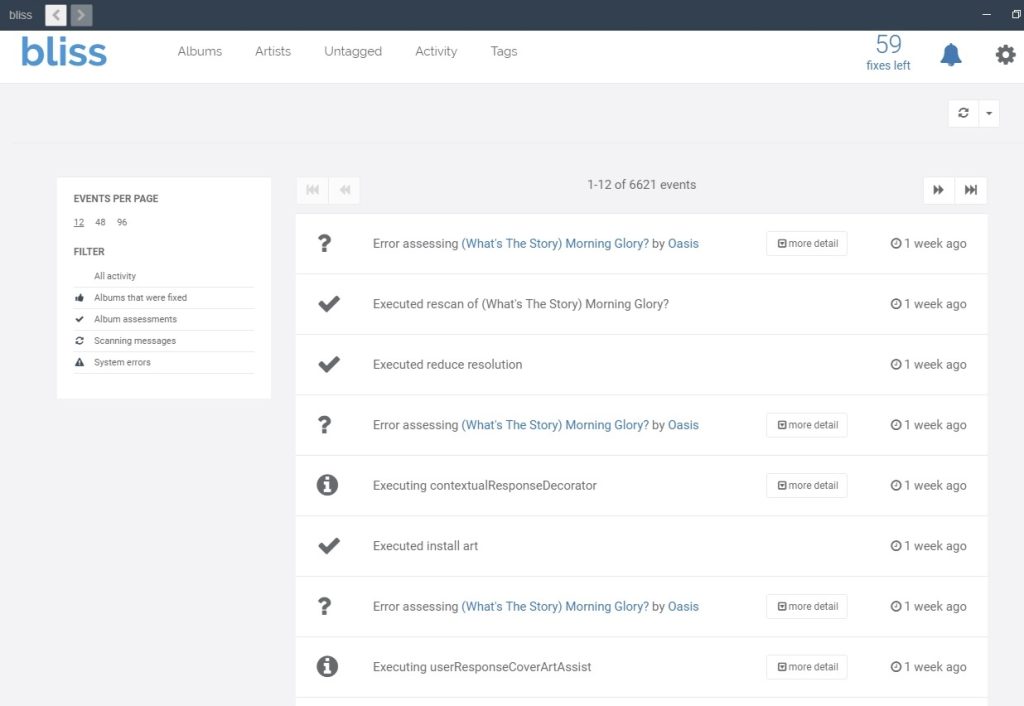
The software maintains a record of actions performed throughout the library.
This provides transparency and allows me to see what has been fixed, rescanned, updated, or modified over time.
The Difference Is Visible
Before using Bliss, portions of my library looked incomplete.
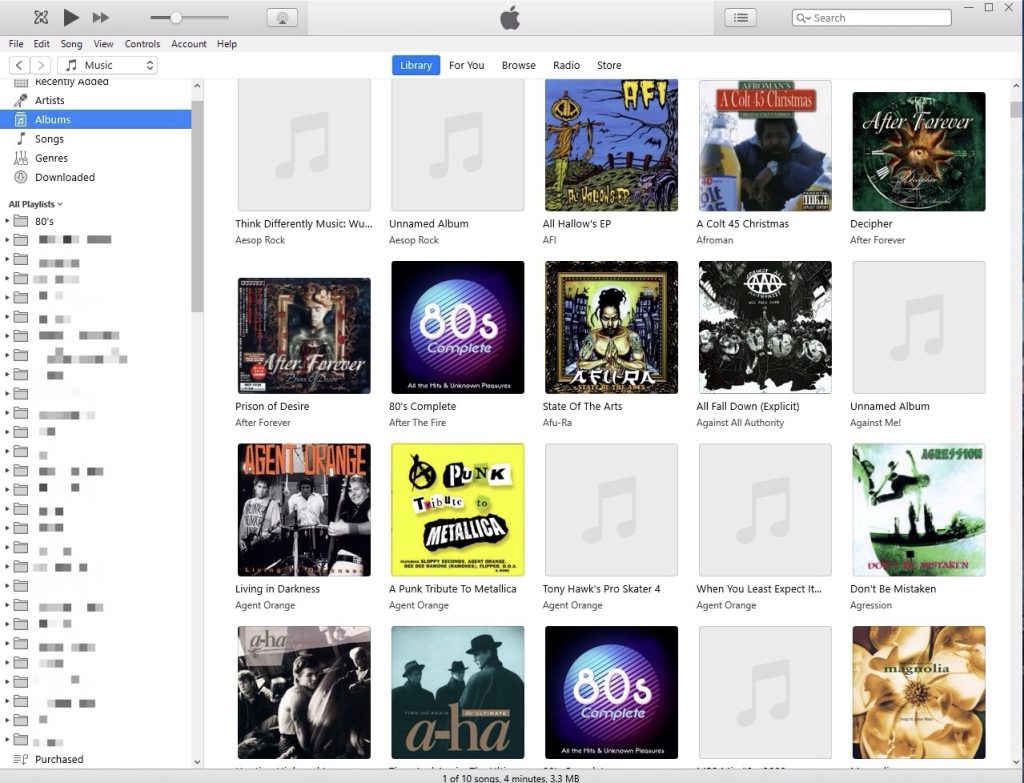
Missing artwork meant blank spaces scattered throughout albums and artists. (In the photo above, on the left of the screen I pixelated the listings of my personal playlists.)
After working through issues identified by Bliss, my collection is becoming much more visually complete, organized, and enjoyable to browse. And when I’m scrolling through thousands upon thousands of albums on an iPod, visual organization makes a bigger difference than you might think.
My Final Thoughts
As a martial arts instructor, I spend a lot of time teaching students that success comes from paying attention to details. I can say this same principle applies to the teaching tools used, such as a music collection. A well-organized library doesn’t happen by accident. It requires consistency, standards, and occasional maintenance.
Bliss helped me identify issues accumulated over years and gave me practical tools to fix them. My collection continues to grow every month. New music is always being added. New playlists are constantly being built for classes, conditioning sessions, and personal workouts.
Thankfully, now that I found this software, Bliss can continue to catch the things I miss.
I wrote this post for anyone managing a large music collection; whether for a gym, a studio, an MP3 player, or simply a lifelong love of music. This software has earned a permanent place in my toolbox.
And now, if you’ll excuse me, I have another playlist to build.
Interested in Bliss For Your Music?
I believe a music collection deserves the same attention to detail that went into building it.
Bliss offers a free trial that allows you to experience its features before purchasing. For larger collections, paid licenses are available, including unlimited-use options for serious music collectors.
To learn more about Bliss, explore its features, or view current pricing options, visit: www.BlissHQ.com